01 / DAW
Digital audio workstation
Arrange audio and MIDI, edit in the piano roll, mix tracks and work with VST3 instruments and effects.
MULTITRACK / MIDI / MIXING
REMARIANT / 001 SOUNDWORKS
A creative workstation for music production and MML composition. Build, arrange and experiment with sound — all in one place.
Create your free Evaluator account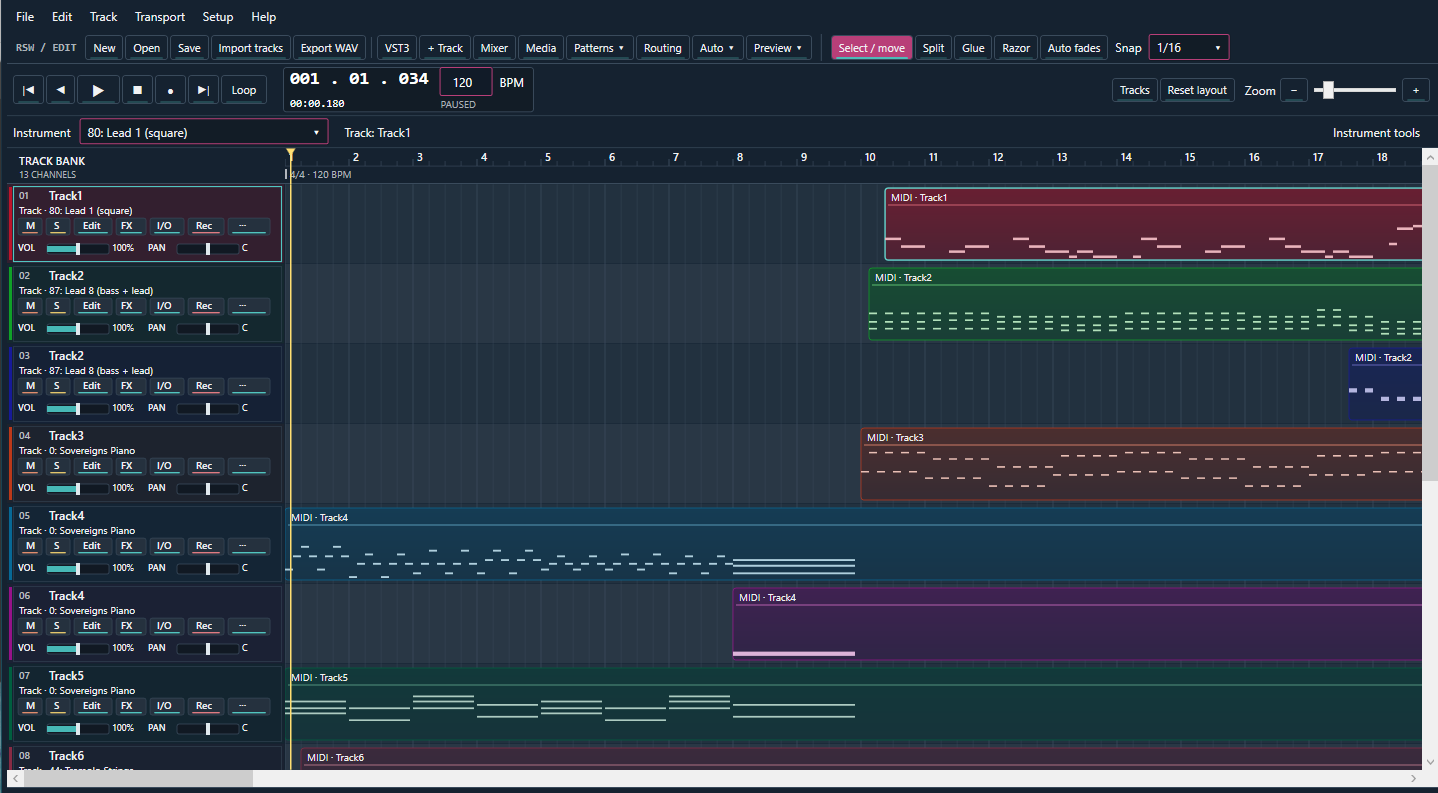
01 / THE WORKSTATION
Compose with precision or build a full production. Choose the workspace that fits your music.
Arrange audio and MIDI, edit in the piano roll, mix tracks and work with VST3 instruments and effects.
Write and edit Music Macro Language, work with melody and harmony tracks, and prepare compositions for supported game formats.
Bring your own VST3 plugins and use instrument libraries to develop arrangements with the sounds you want.
02 / SOFTWARE ACCESS
Download the Remariant Soundworks Launcher to install and manage Soundworks on your Windows PC.

Use your existing Remariant account to access the installer.
Install the full editor for free. Each editing session lasts one hour; save your work and sign in again for another session. One registered computer per account and one account per registered HWID.
Create free accountIf Auth0 opens the sign-in page, select Sign up there. Verify your email before downloading. No payment required.03 / ACCOUNT CONTROL
Manage your Remariant identity and view your Soundworks account information.
Your tier is managed by the existing Soundworks account directory.
Change your password using the secure reset link sent by Auth0 to your account email.
Checking your account…
Open Auth0 sign-in / Forgot password ↗For social or enterprise accounts, manage your password with your identity provider.
Device registration and tier assignments are managed by the existing licensing system. Contact the project owner for changes.
Get the latest Launcher using your authenticated account.
Enter this organization ID in the Launcher if requested. Use the same account you registered here.
Evaluator (Free): one hour per editor session, with unlimited new sessions after signing in again. Save or export your work normally.
Go to downloads